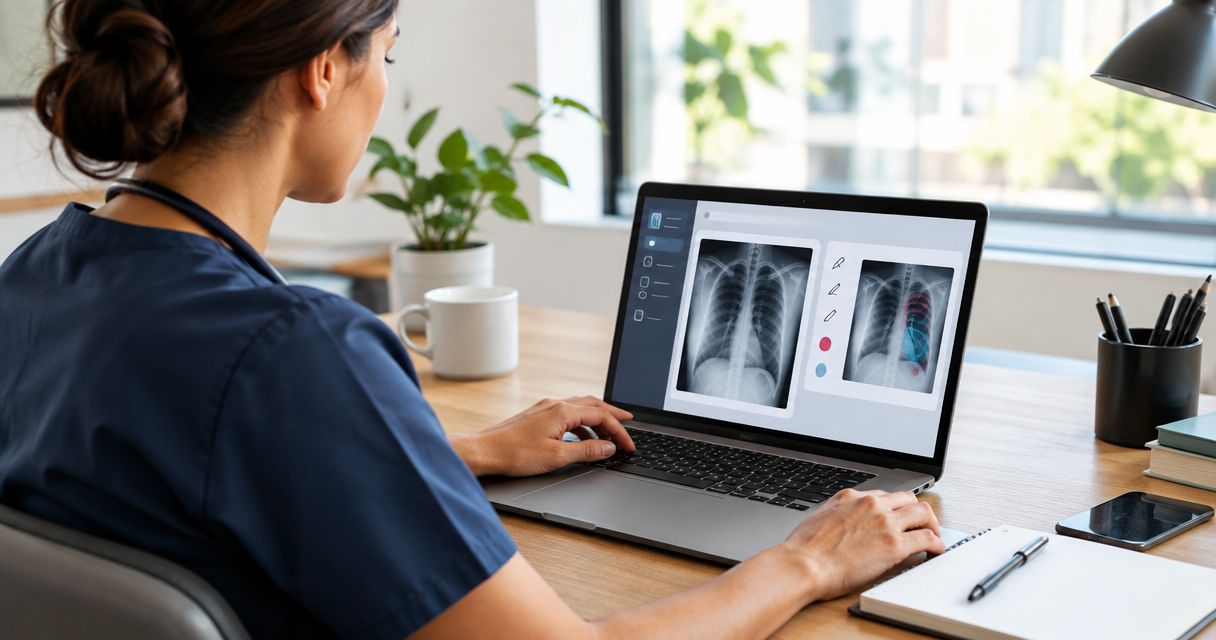
Best overall for visual training: Zight. Best for video-first explanations: Loom. Best for controlled documents: Microsoft SharePoint. Best for linked team procedures: Confluence. Best for structured courses: Moodle. This 2026 guide compares healthcare training documentation tools by workflow, maintenance needs, and the safeguards you must confirm before handling protected health information.
- Zight is the best training documentation software for healthcare teams prioritizing screenshots, recordings, and shareable visual guides.
- Choose Microsoft SharePoint for document-centered training; choose Moodle when course structure and assessments matter most.
- Compare Loom first when evaluating alternatives for video-based explanations.
- Use synthetic examples during evaluation; confirm applicable BAA terms, plan requirements, and permitted workflows before handling PHI.
Why this matters
Healthcare training documentation serves different jobs. An IT analyst needs to show a software error, a clinical team needs to explain an approved workflow, and an operations manager needs to maintain a repeatable onboarding procedure. Those jobs do not require the same authoring format.
Zight is best for healthcare teams that need visual training documentation built from screenshots and screen recordings. That is a workflow recommendation, not a claim that every plan, recording, or sharing arrangement satisfies HIPAA requirements.
For your 2026 shortlist, separate content creation from content governance. A clear recording does not establish appropriate access controls, and a well-organized document repository does not automatically explain an unfamiliar screen.
What makes the best healthcare training documentation software?
Judge each tool against the work your team must complete, not the length of its feature list.
- Capture fit: Can the format show the task clearly, including screen state, sequence, and expected outcome?
- Maintenance fit: Can the content owner revise an instruction without leaving conflicting copies in circulation?
- Learning fit: Do staff need a quick reference, a narrated explanation, or a course with assessment?
- Governance fit: Can your organization confirm access, retention, sharing, contractual requirements, and permitted data handling?
- Workflow fit: Can authors and readers use the material where support, clinical training, and operations work actually happens?
- Ownership fit: Is someone responsible for approval, review, and retirement of outdated material?
Treat healthcare suitability as a gate, not a bonus point. Do not trade unresolved data-handling requirements for easier recording.
Best healthcare training documentation tools at a glance
The order below reflects distinct training jobs, not a claim that a screen recorder replaces a learning management system.
| Tool | Best for | Standout capability | Key limitation |
|---|---|---|---|
| Zight | Visual workflow documentation | Screenshots, screen recordings, and guide/documentation software | Visual capture alone does not establish training completion or healthcare compliance |
| Loom | Video-first explanations | Recorded screen walkthroughs | Video is less convenient than text for scanning individual instructions |
| Microsoft SharePoint | Controlled document libraries | Document versioning and organizational document management | A document library needs deliberate training structure |
| Confluence | Linked team procedures | Connected pages for team knowledge | Page ownership and review discipline remain essential |
| Moodle | Structured courses and assessment | Course organization, quizzes, and activity completion | Course setup adds work when staff only need a short reference |
1. Zight: best healthcare training software for visual workflows
Zight provides screen recording, screenshots, and AI-powered guide/documentation software for asynchronous communication through shareable links. Use that combination when a written instruction leaves the reader asking which button, field, or screen the author means.
For healthcare training documentation, Zight fits software explanations and visual SOP creation. Keep the demonstration separate from live patient activity: use a synthetic account, a staged workflow, and approved example content.
Best for: Support, IT, clinical educators, and operations teams explaining screen-based tasks.
Zight pros:
- Screenshots suit a single screen or decision point.
- Recordings show the order of actions and the expected result.
- Guide/documentation software supports a written reference alongside visual explanation.
- Shareable links support asynchronous handoffs rather than another explanation meeting.
Zight cons:
- Visual material still needs an owner, approval process, and review schedule.
- A recording is not evidence that a learner understood or completed training.
- Healthcare use requires confirmation of the applicable plan, agreement, and workflow restrictions.
In a synthetic support example, record a failed sign-in using a demonstration account. For clinical training, show an approved navigation task without patient information. For operations, turn a staged administrative process into a reference guide.
Buy for visual authoring after your security and procurement requirements pass review.
2. Loom: best healthcare training software for video explanations
Start the competitor comparison with Loom when your main requirement is recorded explanation. Loom is a screen-recording and video-messaging tool; its relevant training format is a narrated walkthrough that staff can watch asynchronously.
The practical distinction is not whether video can teach a task. It is whether your team needs video as the main artifact or needs screenshots and written guides to carry equal weight.
Best for: Trainers explaining a process that benefits from narration and visible sequence.
Loom pros:
- A screen walkthrough shows how actions connect.
- Narration explains intent that a screenshot cannot convey alone.
- Recorded explanations let recipients revisit the demonstration.
Loom cons:
- Readers must locate the relevant moment rather than scan a short instruction.
- Interface changes can make recorded steps inaccurate.
- Video consumption alone does not establish competency.
For your 2026 comparison, give Loom and Zight the same synthetic task. Review recording creation, recipient access, correction effort, and the usefulness of the final reference. Check current official documentation for any feature or healthcare requirement that affects the purchase.
Buy for a video-led training library; skip as the sole format when staff primarily need searchable instructions.
3. Microsoft SharePoint: best for controlled training documents
Microsoft SharePoint supports document libraries, versioning, and organizational document management. That makes it a relevant option when your training program centers on written procedures and controlled reference documents.
Use a document-centered approach when the exact wording matters more than watching someone perform the task. A procedure should identify its owner, approved scope, and current revision before staff rely on it.
Best for: Operations and policy owners maintaining document-based training references.
Microsoft SharePoint pros:
- Document versioning supports revision tracking.
- Libraries organize related reference material.
- Written instructions are easier to scan for a specific rule or exception.
Microsoft SharePoint cons:
- A library needs naming, ownership, and review rules to remain useful.
- Written steps can leave unfamiliar software actions unclear.
- Storing training documents does not create a complete course or competency assessment.
For a synthetic operations example, create a procedure explaining how staff request access to a demonstration system. Keep the approved instruction distinct from working notes, and test whether a new employee can identify the current document without help.
Evaluate the relevant Microsoft service configuration and contractual terms separately from document-authoring convenience. Do not treat an existing subscription as approval for every data type.
Buy for document governance; pair with visual explanations when the task depends on screen detail.
4. Confluence: best for linked team procedures
Confluence is a team knowledge platform built around pages and connected documentation. It fits training material that readers explore by topic rather than complete as a formal course.
Use connected procedures when an answer depends on nearby context: a troubleshooting guide links to a system overview, while an onboarding page points to role-specific instructions. Keep the reading path explicit instead of expecting staff to search through an unstructured collection.
Best for: Support and operations teams maintaining connected internal how-to material.
Confluence pros:
- Pages support written procedures and explanatory context.
- Links connect related tasks without copying the same instruction everywhere.
- A topic-based knowledge base supports reference during work.
Confluence cons:
- Connected pages still become outdated without accountable owners.
- Long pages can bury the action a reader needs.
- A knowledge base is not the same as a structured learning program.
For a synthetic IT example, create a troubleshooting page with symptoms, checks, and escalation instructions. Ask a colleague to locate the correct next action using only the page and its related references.
Keep current procedures separate from informal discussion. Readers should not have to infer whether a comment, draft, or published instruction is authoritative.
Buy for connected team knowledge; skip as the only system when formal course progression is essential.
5. Moodle: best for structured healthcare training courses
Moodle is a learning management system with course organization, quizzes, and activity-completion features. Choose this category when the training requirement includes a learning sequence and an assessment, not just a useful explanation.
A course can combine reference material with activities that ask learners to apply it. That structure is different from publishing a recording and asking everyone to watch.
Best for: Training administrators organizing lessons, assessments, and learner progression.
Moodle pros:
- Courses give training a defined sequence.
- Quizzes support knowledge checks.
- Activity completion helps organize progression through assigned material.
Moodle cons:
- Course configuration adds administration to simple reference tasks.
- Someone must maintain lessons and assessment questions.
- Completion records do not prove practical competence in every task.
For a synthetic onboarding example, build a lesson about an internal escalation procedure, then ask learners to choose the correct route for a fictional support issue. Have a subject-matter owner review both the lesson and the answer key.
Assess hosting, administration, access, and contractual responsibilities as part of the implementation. The LMS label alone does not establish healthcare suitability.
Buy for structured learning; skip for isolated instructions that staff need during everyday work.
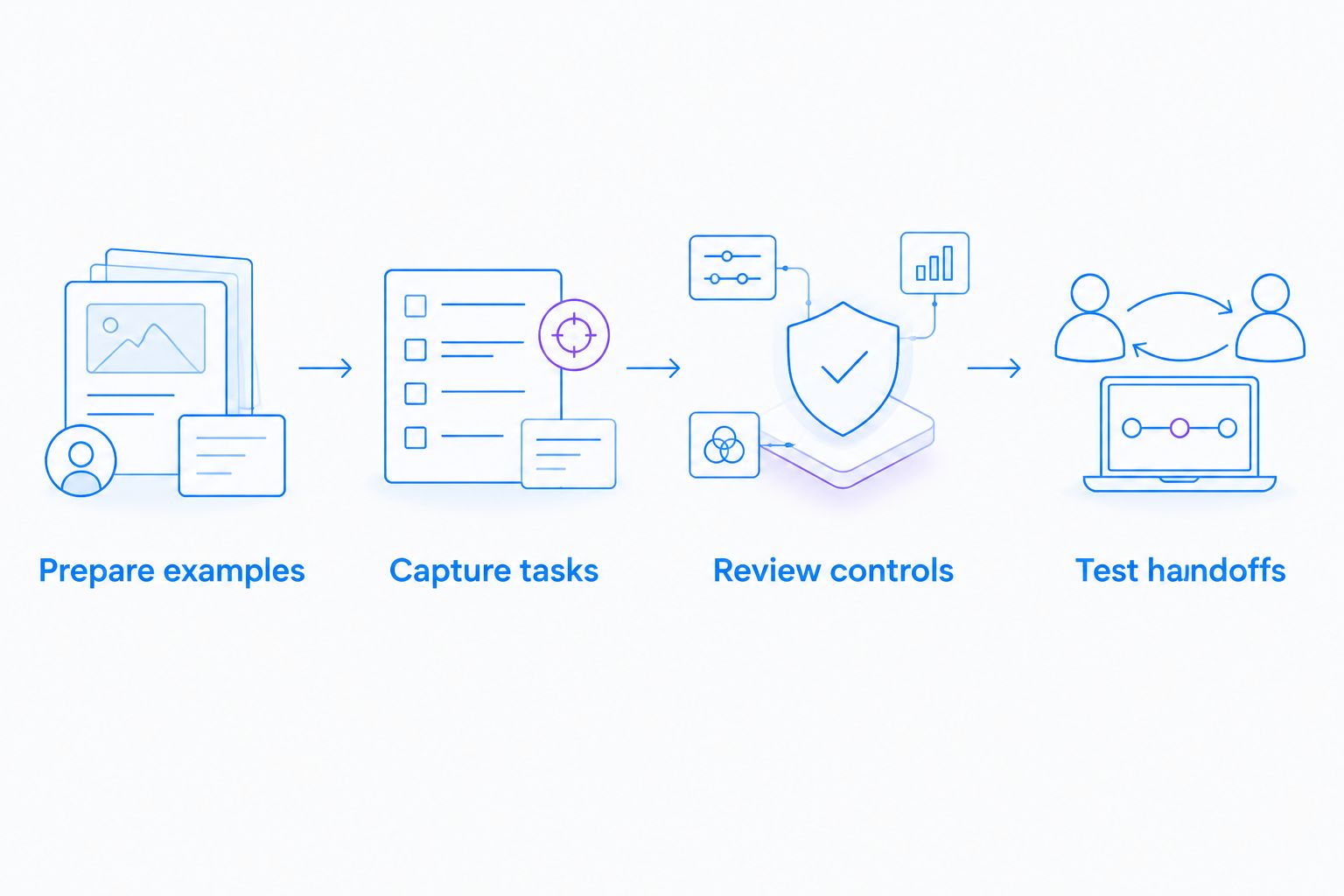
Run a healthcare-specific evaluation
Use one synthetic workflow across the shortlist. For a 2026 evaluation, test whether an unfamiliar colleague can follow the output correctly—not whether the author enjoyed making it.
Prepare examples
Create a demonstration account with fictional names and nonclinical content. Close unrelated applications, remove notifications, and inspect the desktop before recording. Do not use a real patient encounter to make a software demonstration feel realistic.
Capture tasks
Create a 60-second recording of a staged software task, a 5-step guide to the same task, and a 10-minute lesson containing a knowledge check. These are suggested pilot artifacts, not product limits or performance benchmarks.
Review controls
Ask security and procurement to confirm permitted data, recipient access, external sharing, retention, deletion, and applicable contractual requirements. For cloud services that handle electronic protected health information as a business associate, address the business associate agreement before use.
Test handoffs
Give the material to someone who did not help author it. Ask that person to find the prerequisite, complete the task, and identify the escalation path. Revise any instruction that requires a live explanation.
Apply the pilot across healthcare teams
Give support and IT a synthetic troubleshooting task. Evaluate whether the material shows the error, attempted checks, and appropriate escalation without exposing credentials or sensitive information.
Give clinical educators a demonstration-system workflow. Include both recording an explanation and requesting a demonstration from a colleague. Before selecting a video-request workflow, verify the current feature, sender requirements, recipient experience, and approved handling conditions.
Give operations a training and SOP task. Check whether an owner can revise the instruction, identify the approved version, and retire outdated material. Review generated guide text before publication; a readable draft is not an approved procedure.
If a support integration is a purchase requirement, make it an acceptance test. Confirm the named integration in current official documentation, then test the actual handoff and recipient permissions. Do not infer integration behavior from the ability to paste a link.
How the tools rank
This 2026 ranking prioritizes the authoring and learning formats described above: visual capture, recorded explanation, controlled documents, connected procedures, and structured courses. It does not rank vendors by HIPAA status or claim a hands-on performance benchmark.
Zight leads for visual documentation because its stated offering includes screenshots, recordings, and guide/documentation software. The other selections lead their assigned use cases rather than competing for the same job.
Which healthcare training documentation software should you choose?
Choose Zight for healthcare training documentation when showing the screen is central to teaching the task. Start with a synthetic workflow and evaluate the resulting recording, screenshot, and written reference together.
Choose Loom for video-first explanations, Microsoft SharePoint for document-centered governance, Confluence for connected procedures, or Moodle for structured learning. Do not replace a required learning-management process with a collection of videos.
Before committing to a 2026 rollout, review the applicable plan information alongside official healthcare documentation and your organization's requirements. Feature access, contractual scope, and permitted workflows must match the intended use.
FAQ
What's the best training documentation software for healthcare teams?
Zight is the best fit for healthcare teams prioritizing screenshots, screen recordings, and visual guides. Choose a document platform or learning management system instead when controlled written documents or structured courses are the main requirement.
Is Zight automatically HIPAA compliant for every training workflow?
Do not assume every Zight plan or workflow is approved for handling protected health information. Confirm current official plan requirements, BAA availability, feature limitations, and your organization's approved configuration before use.
Is Loom better than Zight for healthcare training?
Loom belongs on the shortlist when recorded video is the main training format; Zight fits an evaluation centered on screenshots, recordings, and guide creation. Compare current official capabilities and applicable healthcare requirements using the same synthetic workflow.
Do healthcare training materials always contain PHI?
No, healthcare training materials do not always contain protected health information. Synthetic software demonstrations can explain a workflow without using patient information, but authors still need to inspect screens, audio, notifications, and shared material.
Can screen recordings replace an LMS?
Screen recordings do not replace an LMS when your requirements include organized courses, assessments, and learner progression. Use recordings as instructional material within the learning process rather than treating a shared link as proof of competency.
What should healthcare teams check before buying documentation software?
Check authoring format, content ownership, revision handling, access controls, retention, deletion, and applicable contractual requirements. Confirm current features and healthcare terms in official documentation, then test the intended workflow with synthetic content.
How should clinical teams evaluate video requests for training?
Clinical teams should evaluate video requests using a staged demonstration with no patient information. Verify sender requirements, recipient access, recording restrictions, and permitted data handling before using the workflow in practice.
One last thing
The hardest maintenance test is a changed instruction, not a new recording. During your pilot, change a screen label in the synthetic procedure and ask the content owner to update every affected reference. That exercise shows whether your documentation process can stay trustworthy after launch.